ILLUSTRATIONS THAT BELONG TO THE STORY
Create images from the book—not from an isolated prompt.
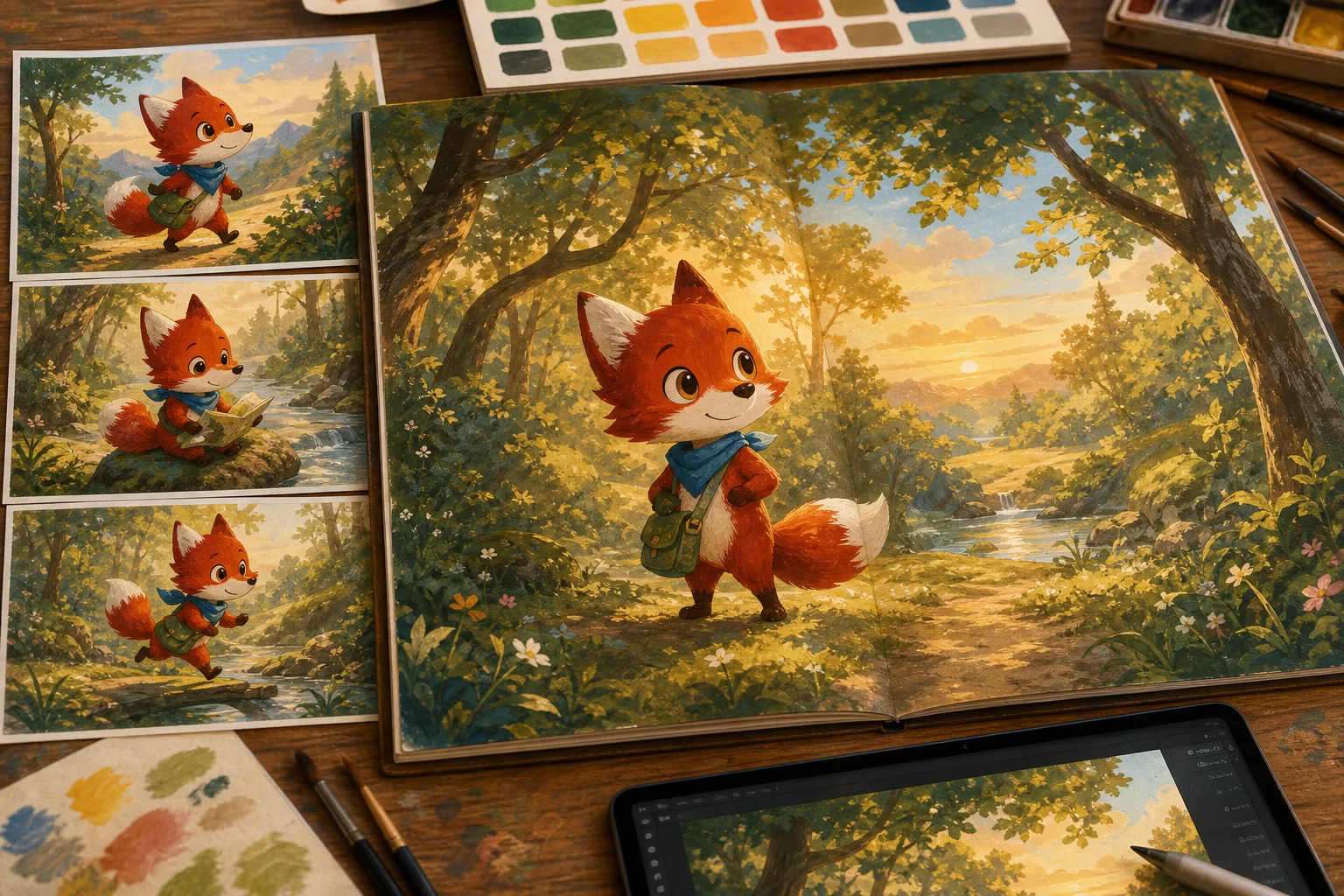
Turn manuscript moments into illustration briefs, preserve recurring characters, review variations, and place approved art where readers encounter it.
WHY IT MATTERS
The familiar workflow leaves too much for the author to remember.
A beautiful image can still be wrong for the book. It may reveal the wrong moment, break a character reference, ignore page-turn pacing, or arrive as a loose file with no clear place in the manuscript.
More attention for the book. Less repair work around it.
Reuse approved character references
Review art before it enters the book
Keep placement and accessibility information together
A clear path from decision to approved result.
- 1
Choose the story moment
Select a chapter or spread and define what the image should help the reader understand or feel.
- 2
Bring the right references
Review geometry and illustrated baselines in Canon first. Bring the approved references and the story state needed for this moment into Illustrator.
- 3
Approve and place
Compare candidates, select the final image, add useful alternative text, and place it in the manuscript.
Plan AI book illustrations around the story
Choose the reader purpose before creating an image. A picture-book spread may reveal something the words leave unsaid. A nonfiction diagram may explain a process that prose makes hard to follow. A decorative image should not be confused with evidence, and an attractive candidate should not be accepted merely because it looks finished.
Bring the scene, character references, important objects and current story state into the brief. Specify what the illustration must show and what it must not reveal yet. This connects AI illustration work to the manuscript rather than treating each image as an unrelated experiment.
Keep illustrated characters recognizable across a book
Review the approved character and object references before composing another scene. Compare identity, proportions, important details and intentional changes. Then check the image against the actual moment: setting, weather, clothing, participants and the story's timeline. Consistent references reduce guesswork but cannot guarantee every generated image will be correct.
Place only approved art in the manuscript. Add a caption when it helps, and provide alternative text that communicates the image's purpose. Check cropping, text space and page placement in the final edition. For commercial publication, review rights and the destination's current AI-content disclosure requirements as well.
Brief the picture from the manuscript, not just a mood
Book illustration software becomes more useful when each image has a job. Use BookSemantic to turn a manuscript into illustration prompts by connecting the planned scene, approved references and intended visual beat. Explain what must be visible, what matters to the reader and what should remain unrevealed at this point.
An AI book illustrator tool should support review as well as creation. Compare a candidate with the character, setting and timeline before adding it to the manuscript. An AI book illustration generator can offer visual possibilities; it cannot decide that the right person, object and story moment are present without your inspection.
Test a spread before commissioning a whole visual world
When evaluating a children's book illustration generator, try a recurring character in two different situations. Check identity, action, text space and the picture's contribution to the story. An AI book illustrator belongs in a wider process of selection, correction, placement and edition proofing—not a race to collect the largest number of images.
If you need an AI book illustration generator free of charge, check the actual allowance, commercial-use terms and download options before starting. This is not a claim that BookSemantic offers free image generation. Review its current plan and usage costs, and keep only artwork whose rights and quality you are prepared to stand behind.
Make an illustration brief that belongs to this moment
Book illustration software should start with what the image contributes. A picture may reveal a clue the narrator misses, show the scale of a place or give a child a quiet moment after busy action. Illustration planning for books is the work of choosing those moments, not simply decorating every chapter with another picture.
An AI book illustrator needs the relevant manuscript, approved references and a clear purpose. If you want to illustrate a book with AI, begin with one demanding scene. Name the participants, setting and important objects, then state what must not be revealed yet. Read the image against the story rather than accepting it because it looks finished.
A picture book illustration tool has a particular responsibility: the words and pictures need room to do different work. To illustrate a picture book, inspect the spread as a reading experience. Reserve text space, consider the fold and check what the page turn sets up. A children's book illustrator software workflow should make that review possible before the artwork is placed.
Recognizable characters need more than a repeated prompt
Consistent character book illustrations depend on an approved reference and careful review. A new expression, pose or coat can be right for the scene; an unexplained change of identity cannot. Consistent character illustration AI should support that distinction instead of making every candidate a near-copy of the first image.
Children's book illustration AI also has to follow the current story state. A character who has lost a hat should not wear it again simply because it appeared in the reference. BookSemantic separates approved identity from intentional scene changes so the illustration brief can describe both. References help, but they do not guarantee a correct candidate.
An AI storybook illustration generator can offer several approaches to a visual beat. Compare them with the planned reader experience and neighboring spreads. Professional book illustration tools should leave selection and correction with the person responsible for the book. An appealing isolated picture may still be the wrong image for the sequence.
Choose, place and proof the art deliberately
An AI book illustration generator and a chapter illustration generator solve only part of the job. AI chapter illustrations still need suitable composition, captioning and placement. Novel illustration software should help you treat the image as part of the manuscript, not as a loose download whose purpose will be decided later.
A practical book illustration workflow goes from brief to candidate, from review to placement, and then to an edition proof. An AI illustration tool for authors should leave a usable record of which image was approved and what it is meant to communicate. Check cropping and legibility at the final reading size, not only on a large studio screen.
AI illustrations for self-published books also require rights and destination checks before commercial release. Review the terms that apply to the actual artwork and publishing route. BookSemantic supports an author-reviewed image workflow; the author and illustrator still bring the visual judgment, accessibility decisions and permissions the finished edition needs.
WHY THIS APPROACH
Grounded in published guidance and research.
These sources explain the underlying authoring, preservation, accessibility, or AI-quality problem. BookSemantic’s feature claims describe the product experience; the sources do not endorse BookSemantic.